dstp
CLI tool that runs common networking tests (ping, DNS, TLS, HTTP) against websites and IP addresses
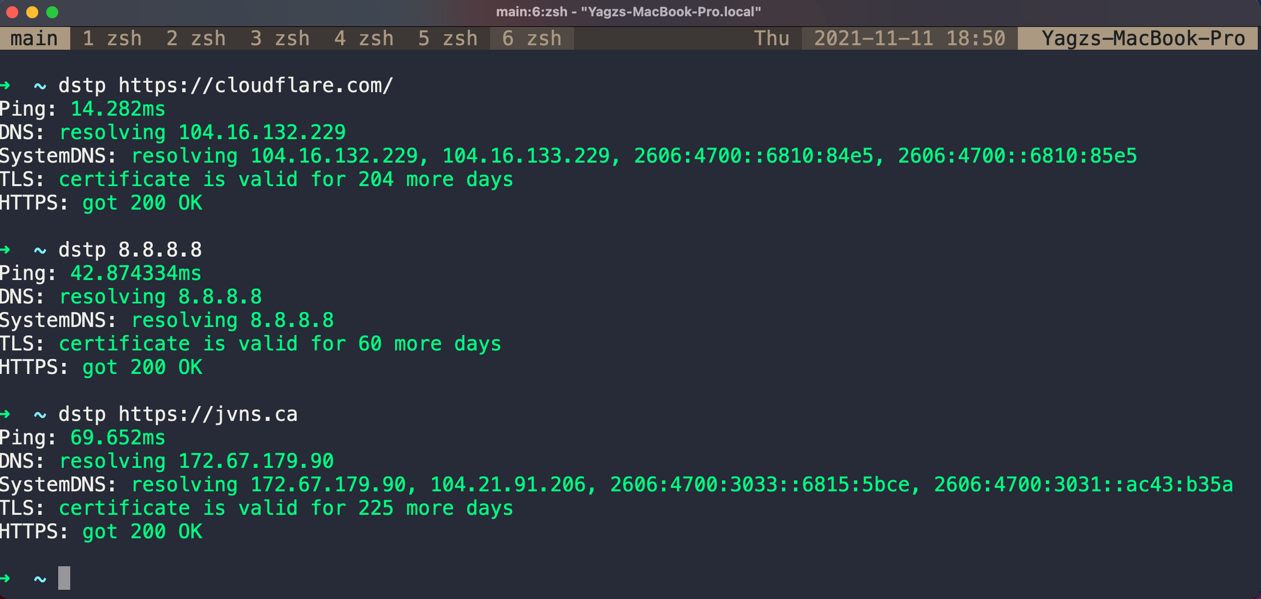
dstp is a command-line networking diagnostic tool that runs multiple connectivity tests against a target URL or IP address. It performs ping tests, DNS resolution checks, TLS handshake verification, and HTTP/HTTPS connectivity tests from a single command.
The tool accepts a required target address via the -a flag and supports configurable options including the number of ping packets (default 3), timeout values (default 2 seconds per ping), custom DNS servers, and specific ports for TLS testing (default 443). Output can be formatted as either plaintext or JSON, making it suitable for both interactive debugging and automated monitoring workflows.
Developers, system administrators, and DevOps engineers can use dstp to quickly diagnose network connectivity issues when troubleshooting website availability, DNS resolution problems, or TLS certificate issues. The tool consolidates what would typically require multiple separate commands (ping, nslookup, curl, openssl) into a single executable that provides a comprehensive connectivity report.
Installation
# via Homebrew
brew install dstp
# via Go
go install github.com/ycd/dstp/cmd/dstp@latest
# via Nix
nix shell nixpkgs#dstp