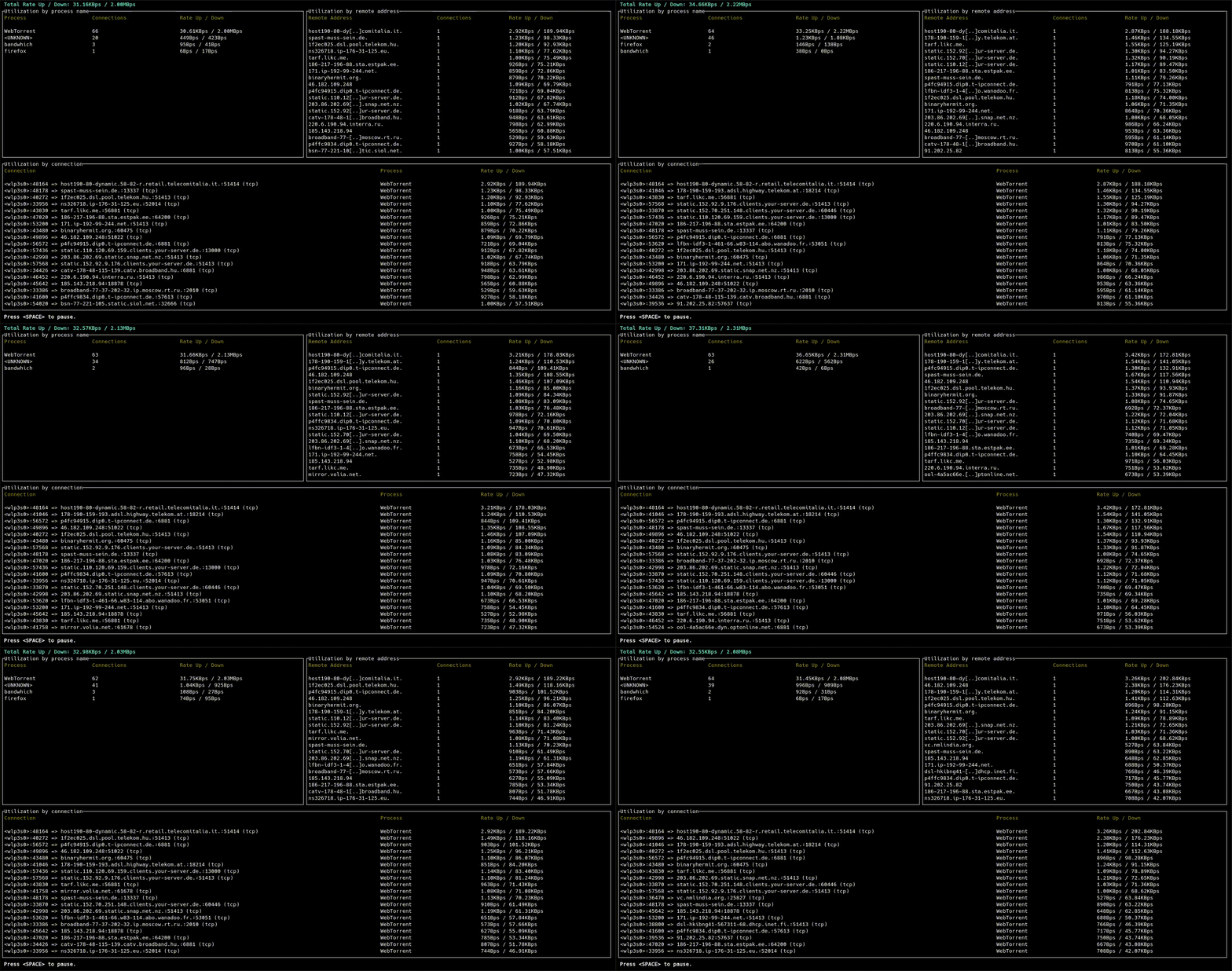
bandwhich
CLI utility that displays current network utilization by process, connection and remote IP/hostname
bandwhich is a network monitoring CLI tool that displays real-time network utilization organized by process, connection, and remote IP/hostname. It sniffs network packets on a specified interface and cross-references IP packet sizes with system process information using /proc filesystem on Linux, lsof on macOS, or WinAPI on Windows.
The tool provides a terminal-based interface that adapts to window size, showing detailed network activity with reverse DNS resolution for hostnames on a best-effort basis. It can display data in various formats including machine-friendly raw output, and offers filtering options to show only processes, connections, or addresses tables. Users can configure DNS servers, control hostname resolution, and choose different unit families for bandwidth display.
Since bandwhich requires packet sniffing capabilities, it needs elevated privileges to run. On Linux, users can either run it with sudo or assign specific capabilities (cap_sys_ptrace, cap_dac_read_search, cap_net_raw, cap_net_admin) to the binary for unprivileged access. The tool supports multiple architectures including x64, ARM, and Android, making it suitable for servers, desktops, and embedded systems.
Installation
# via Cargo
cargo install --git https://github.com/cross-rs/cross.git cross